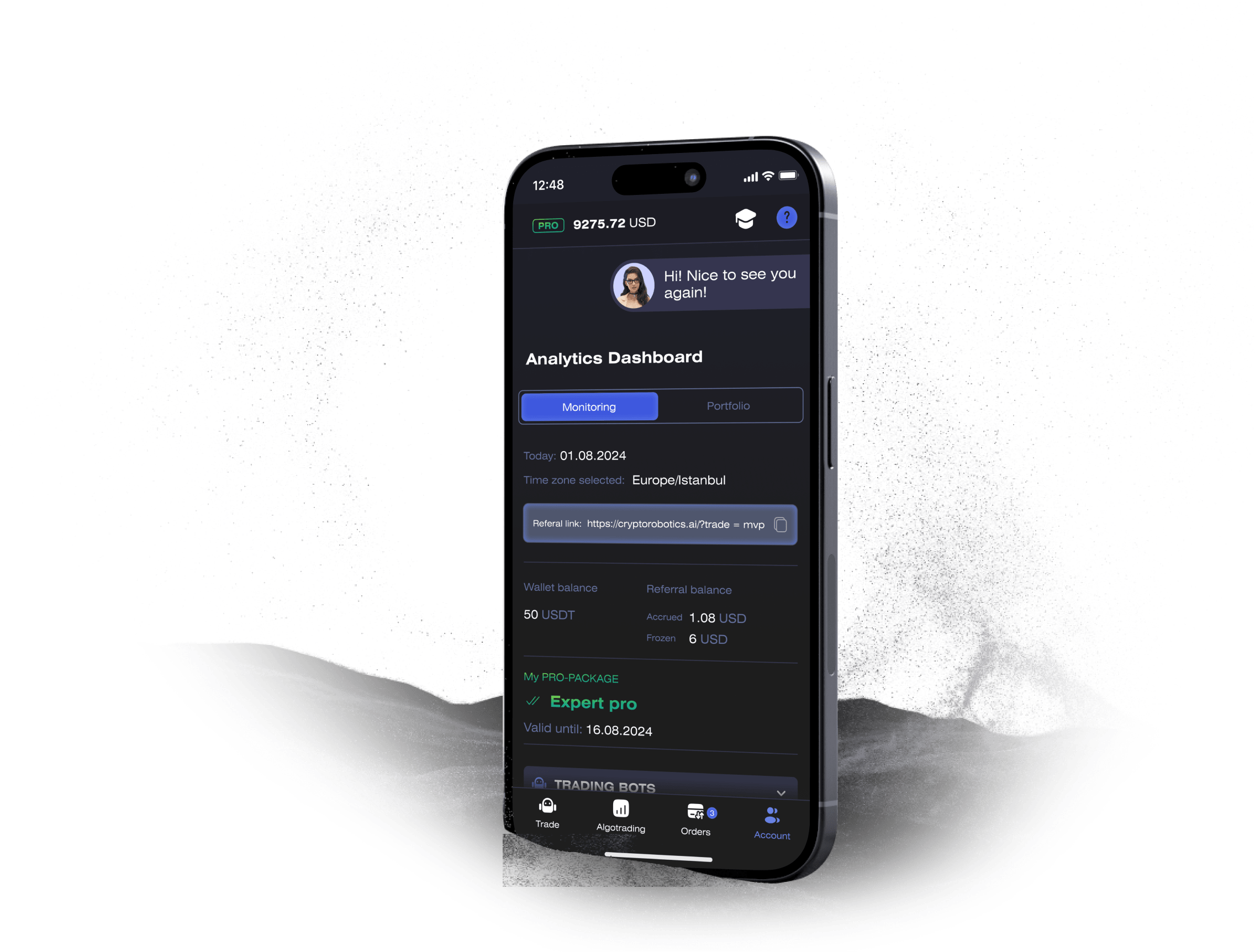
The XT crypto exchange is attractive for traders who want access to liquid crypto markets and a clear interface, but real efficiency comes when you combine it with automation. The CryptoRobotics platform connects to XT via API and adds a professional layer of tools: trading bots, signal bots, smart trading orders, alerts, analytics, and even demo environments where strategies can be tested without risking real funds.
This combination allows traders to move from purely manual work to structured, rule-based trading while still keeping full control over their capital on XT.
What is XT crypto exchange
XT is a centralized cryptocurrency exchange that offers spot trading for a wide range of digital assets. Users can deposit cryptocurrencies, place buy and sell orders, and manage their portfolio directly on the exchange. XT focuses on:
- Secure account management and API access
- Reliable order execution
- Competitive trading fees
- User-friendly interface for both beginners and advanced traders
The exchange is also API-friendly, which is crucial for integration with external platforms such as CryptoRobotics. When connected through API, XT acts as a liquidity and execution layer, while analysis, automation, and order logic are handled on CryptoRobotics.
How does XT cryptocurrency exchange work?
The XT cryptocurrency exchange operates as a matching engine between buyers and sellers:
- Account & security – users register, enable two-factor authentication, and keep their funds on the XT spot wallet.
- Deposits & withdrawals – traders can deposit crypto assets onto XT and withdraw them to external wallets when needed.
- Order types – the native interface supports market and limit orders, and in some cases stop orders, which users can submit directly on the exchange.
- Order book & execution – orders are matched based on price and time priority. Liquidity determines how fast large orders are executed and how much slippage occurs.
- API layer – XT provides API keys that allow secure programmatic access. Through these keys, platforms like CryptoRobotics can place and manage orders without having access to withdrawals.
On its own, XT covers the basics of crypto trading. The real expansion of functionality appears when traders connect XT to CryptoRobotics.
What is CryptoRobotics
CryptoRobotics is a multi-exchange trading terminal and automation platform that connects to major cryptocurrency exchanges through API keys. It supports 17 exchanges in total, including spot exchanges such as Binance, OKX, Bybit, KuCoin, Bitget, MEXC, Gate.io, Kraken, Binance.US, Bitfinex, XT, EXMO, HTX (Huobi), as well as futures environments (Binance Futures, Bybit UTA Futures, Bitget Futures, Blofin Futures).
In addition to live markets, CryptoRobotics also provides Demo Spot and Demo Futures, which mirror market conditions and allow users to practice strategies without using real capital.
The platform concentrates several layers of functionality in one interface:
- Connection of multiple exchanges and accounts
- Unified terminal for manual trading
- Trading bots
- Signal bots that trade based on analyst signals
- Crypto signals for semi-automated signal following
- Alerts and analytics dashboards
- Profit-sharing tools that charge only from profitable trades
All trades are executed directly on the connected exchange (such as XT), while configuration and monitoring happen inside CryptoRobotics.
From a structural point of view, the CryptoRobotics platform works in four stages:
- API integration – the user creates an API key on XT with permissions for spot trading only (withdrawal is disabled) and adds it in the Exchange Accounts section on CryptoRobotics.
- Account selection – once connected, the XT account appears in the list of available exchanges. The user can switch between XT and other exchanges or work with several accounts in parallel if their tariff includes multi-accounts.
- Module access – after connecting XT, all modules become available: Smart Trading terminal, trading bots, signal bots, crypto signals, alerts, and analytics.
- Execution & monitoring – CryptoRobotics sends orders to XT through the API, receives execution data, and displays statistics, charts, and cumulative profit curves in real time.
The technical execution remains on XT, while CryptoRobotics is responsible for logic, automation, risk management settings, and convenient visualisation. The detailed description of these tools is provided in the next section.
Although this section is titled for XT, the same toolbox is available for any supported spot exchange, including XT. Below is a detailed overview of the instruments that a XT trader gains when connecting the exchange to CryptoRobotics.
1. Smart Trading terminal
Smart Trading is the core manual trading environment. It extends the capabilities of XT far beyond the standard exchange interface.
Key features:
- Chart-based trading
Traders can place and modify orders directly on the price chart. When a limit order is created, its level appears as a line that can be dragged up or down before the order is sent to XT.
- Order types
- Limit orders – place buy or sell orders at a specified price.
- Market orders – execute immediately at the current market price.
- Stop-limit orders – conditional orders that are activated after the market reaches a trigger price, after which a limit order is placed.
The platform does not reserve funds for stop-limit orders until they are triggered, which allows traders to build an entire ladder of pending orders on a single asset.
- Smart orders (SL/TP)
Smart orders combine entry, Take Profit, and Stop Loss in one structure. When a trader sets up a smart order, all levels instantly appear on the chart. Levels can be adjusted visually: moving them on the chart updates numeric values in the order block.
- Partial take-profit and ladders
Traders may distribute volume between several profit targets (T1, T2, T3). CryptoRobotics closes parts of the position at each target or pulls trailing protection towards the last goal.
- Order management panel
There is a dedicated panel with open and executed orders that allows:
- editing parameters (TP/SL, price, volume),
- cancelling smart orders,
- quickly opening the chart for the traded pair.
- Visual trade history
Executed orders are marked on the chart with B (Buy) and S (Sell) markers. Hovering over them reveals price, size, and time of execution. History can be shown or hidden with one click.
These features give XT traders precise control over entries and exits, along with a clear visual representation of their strategies.
2. Trading bots
CryptoRobotics offers a line of automated trading bots that can operate on XT once it is connected:
- Spot bots – work on spot pairs using trend-following or sideways strategies.
- Partner bots – professional strategies provided by external partners, often with transparent statistics and a fee either as subscription or as a share of the profit.
- PSH (Profit Sharing) bots – in this model, the user does not pay for access upfront; instead, a percentage is charged only from profitable trades.
Bots can be conservative, moderate, or risky, and many of them are optimized for specific market conditions (trend, volatility spikes, flat ranges). Their statistics include average monthly profit, number of trades, and drawdown, allowing traders to choose strategies that match their risk tolerance.
3. Signal Bots
Signal bots combine analyst signals with automated execution:
- A professional analyst or analytical system publishes a signal (pair, direction, entry zone, targets T1–T3, Stop Loss).
- The signal is sent to the signal bot stream.
- The bot, built on AI and predefined rules, analyses the signal and decides whether to enter the trade.
- If conditions are met, orders are automatically sent to XT through the user’s API key.
Each signal bot has a statistics page showing:
- average monthly profit,
- average profit per signal,
- number of signals in total,
- distribution of targets achievement (how often T1, T2, T3 are reached),
- Win/Loss ratios,
- average duration of trades,
- daily cumulative profit graph,
- frequency of signals.
Some signal bots operate on subscription, others work on the Profit Sharing model, where the trader pays only a percentage of the positive result.
4. Crypto Signals (manual signal trading)
Besides fully automated signal bots, CryptoRobotics also offers crypto signals channels for semi-automated trading:
- The trader subscribes to one or several channels (for example, Cryptorobotics Signals, Cryptoleks, Bitmind, AI Alpha, Jumper Stars, Flash Signals, Kuresofa, Easy Trade, and others).
- In the Signals section they see:
- description of each channel,
- number of subscribers,
- total signals issued,
- active signals,
- average monthly profit,
- average profit per signal,
- subscription price.
When the user opens a specific channel, they get detailed analytics:
- share of successful vs unsuccessful signals,
- percentages of target achievement (T1, T2, T3),
- average trade cycle,
- average number of signals per day,
- cumulative performance graph,
- graph of signal frequency by calendar days.
Below, three tabs are available:
- Active signals – signals with valid entry zones or those in progress.
- Signal history – completed or expired signals.
- My trading – all trades that the user personally opened from this channel.
From the Active signals tab, traders can create orders in one click. The order form automatically pulls recommended parameters: exchange (XT), buying range, targets, and Stop Loss. Experienced traders may change targets, move levels on the chart, or switch to alternative risk parameters, including a stop based on candle close.
5. Alerts
Alerts (price notifications) are available for any pair traded on XT:
- The user sets a price level and creates an alert.
- When the market reaches that level, CryptoRobotics shows a pop-up notification in the terminal.
- Optionally, an email notification can be activated.
Alerts help traders follow important levels even when they are not watching the chart, and can be used for both manual decisions and as a complement to automated strategies.
6. Demo Spot and Demo Futures
For traders who want to practice before risking real capital, CryptoRobotics provides Demo Spot and Demo Futures environments:
- Prices follow real market movements, but operations are performed with virtual balances.
- Users can test bots, signal bots, and manual Smart Trading setups.
- Strategies may be refined and optimized before being moved to live trading on XT.
This is especially valuable for beginners and for traders experimenting with complex ladder structures or multiple bots.
7. Analytics and multi-accounts
CryptoRobotics consolidates statistics across all connected exchanges, including XT:
- cumulative profit graphs,
- Win/Loss ratios,
- average trade duration,
- profit per strategy or per bot,
- individual trade history.
For users on higher plans, multi-account support is available: several XT keys can be connected and traded from the same interface.
How to start trading on XT via CryptoRobotics
The same steps apply to XT, but below is the general procedure for connecting a supported spot exchange such as XT or XT:
- Create an account on the exchange. Register, secure the account with 2FA, and deposit funds to the spot wallet.
- Generate an API key
- Go to the API management section.
- Create a new API key.
- Enable permissions for spot trading (and margin where applicable).
- Do not enable withdrawals for security reasons.
- Confirm the creation of the key and copy the API and Secret key (the secret is shown once).
- Add the key to CryptoRobotics
- In CryptoRobotics, open Account → Exchange Accounts → Add new key.
- Select the corresponding exchange (XT).
- Paste the API and Secret keys.
- Give the key a descriptive name and save it.
- Choose tools. For manual trading, go to Smart Trading, select the exchange and pair, and start working with smart orders and ladders. For fully automated trading, connect bots or signal bots that support this exchange.
- For semi-automated trading, subscribe to crypto signals channels and open trades from the Signals section.
- Monitor performance. Use analytics dashboards, statistics pages of bots and channels, and cumulative profit graphs to track results and adjust strategies.
Tariffs & Plans
Trading on CryptoRobotics can be organized in two ways:
- Subscription to individual instruments
- Profit Sharing, where the user pays only a percentage of the profit from successful trades.
A trader who needs just one or two instruments (for example, access to a signal channel or one bot) can buy a subscription specifically for that tool.
Those who want to use several instruments at once can purchase one of the platform packages:
- Free
- Trading on 17 exchanges (including XT, XT and the rest of the supported list)
- Up to 10 simultaneous stop-limit orders
- Up to 2 simultaneous smart orders
- Up to 10 open charts
- Analytics dashboard for 30 days
- 14 days of bots testing
- Basic PRO
- Unlimited stop-limit orders
- Up to 20 smart orders at the same time
- Multiaccounts support
- Analytics dashboard
- Bot testing
- Ability to add one custom strategy
- Price starting from $7 per week
- Expert PRO
- Access to a set of pre-configured bots
- Ability to add up to 5 user strategies
- Unlimited smart orders
- Unlimited multi-accounts
- Extended analytics
- Access to the Cryptorobotics signal channel
- Price starting from $29 per week
- Signals PRO
- Trading on 17 exchanges
- Full access to major signal channels: Cryptorobotics, Cryptoleks, Bitmind, AI Alpha, E-Trade, Jumper Stars, Flash Signals, Easy Trade, Kuresofa, Cryptosegnali and others
- Price of $89 per month (often provided with discount from a higher base price)
Profit Sharing model
For a number of bots and signal bots, CryptoRobotics offers Profit Sharing. In this model:
- Access to the instrument is free.
- After trades are closed with profit, a predefined percentage is taken as a fee.
- Calculations are shown transparently in the Profit-Sharing settlements section.
This is convenient for traders who want to test automated strategies on XT without paying fixed subscription fees.
Conclusion
The combination of XT crypto exchange and the CryptoRobotics platform turns standard spot trading into a flexible, data-driven process. XT provides liquidity and reliable order execution, while CryptoRobotics is responsible for intelligent order logic, automation, visual control, and statistics.
Through Smart Trading, trading bots, signal bots, crypto signals, alerts, demo environments, and advanced analytics, traders can design a workflow that fits their risk profile and level of experience. Whether you prefer one-click following of analyst signals, fully automated bots on Profit Sharing, or precise manual control with smart orders and ladders, CryptoRobotics gives you the instruments to implement it on XT in a structured and professional way.