lang
November 29, 2025

Multi-Exchange Trading & Account Management: Strategies for Efficient Execution on CryptoRobotics

Multi-Exchange Trading

Multi-exchange trading is a core requirement for traders who operate across several cryptocurrency markets, diversify portfolios, distribute liquidity, or manage multiple strategies simultaneously. When executed manually, this process introduces constant friction—switching between interfaces, synchronizing balances, repeating settings, monitoring scattered positions, and managing several security layers.

CryptoRobotics offers an integrated environment that allows users to connect multiple exchanges via API keys, perform both manual and automated trading, manage multiple accounts of the same exchange, and operate spot and futures markets all within a single terminal. The platform consolidates execution, monitoring, analytics, and automation tools in one place, allowing traders to streamline their workflow and reduce operational risks.

What Is Multi-Exchange Trading on CryptoRobotics

Multi-exchange trading on CryptoRobotics refers to the ability to:

  • connect several crypto exchanges via API keys
  • manage multiple accounts from the same exchange (Multi-Accounts)
  • trade spot and futures pairs from a single interface
  • centralize order execution, monitoring, alerts, and analysis
  • use automated tools such as trading bots and signal bots
  • manage smart orders, stop orders, take-profit, and trailing tools
  • consolidate portfolio data and trading history

The system removes the need to switch between exchanges separately. All data, balances, and orderbooks are displayed inside one terminal, improving execution speed and reducing the probability of human error.

Supported Exchanges on CryptoRobotics

CryptoRobotics supports one of the largest multi-exchange infrastructures in the automated trading segment.

Spot Exchanges

  • Binance
  • OKX
  • Bybit
  • KuCoin
  • Bitget
  • MEXC
  • Gate.io
  • Kraken
  • Binance.US
  • Bitfinex
  • XT
  • EXMO
  • HTX (Huobi)

Futures Exchanges

  • Binance Futures
  • Bybit UTA Futures
  • Bitget Futures
  • Blofin Futures

Simulation Environments

  • Demo Spot
  • Demo Futures

The inclusion of demo exchanges allows traders to test strategies, tools, and execution logic before trading with real balances.

How API Connections Enable Multi-Exchange Trading

API Key Integration

CryptoRobotics allows users to connect any supported exchange via:

  • automatically generated API keys (for Bybit UTA)
  • manually added API keys (for all exchanges)

After adding a key, the trader receives full access to:

  • balances
  • order placement
  • cancellation
  • trading history
  • smart orders
  • bots
  • signals
  • portfolio analytics

The system does not store user funds. Execution happens directly on the exchange through secure API integration.

Automatic API Creation for Bybit UTA

The platform supports automated generation of Bybit UTA API keys:

  1. Navigate to Account → Exchange Accounts
  2. Select Bybit UTA (Unified Trading Account)
  3. Choose Generate Automatically
  4. Authenticate through Bybit
  5. CryptoRobotics creates Spot + Futures keys
  6. Keys appear in the account list instantly

Manual API Creation

Manual API integration includes specifying:

  • API key
  • Secret key
  • IP restrictions (for Bybit UTA)
  • “Read + Write” permissions
  • Permissions for Orders, Positions, and USDC Derivatives

After adding the keys, CryptoRobotics displays the account immediately in the exchange list.

Multi-Account Functionality

If a user’s plan includes Multi-Accounts, they may connect an unlimited number of API keys, including multiple keys from the same exchange.

This is essential for:

  • separating trading strategies
  • dividing spot and futures accounts
  • allocating funds by risk categories
  • managing clients’ or team accounts (for advanced users)

Centralized Manual Trading Infrastructure

CryptoRobotics integrates manual trading tools across all connected exchanges. This allows traders to execute, manage, and modify spot and futures orders in one interface.

Smart Trading Interface

The Smart Trading terminal includes:

  • chart-based trading
  • visual stop-loss, take-profit, and trailing levels
  • limit, market, stop-limit, and smart orders
  • one-click Buy/Sell
  • interactive widgets for price adjustment
  • graphical representation of filled and open orders
  • management panel for all active orders
  • monitoring tools for completed trades

Smart orders allow traders to place combinations such as:

  • Limit Buy + Stop-Loss + Take-Profit
  • Stop-Limit Buy + Trailing Stop
  • Multi-target exit (laddered selling)

Trading From the Chart

Traders may interact directly with chart elements:

  • drag-and-drop order levels
  • modify parameters by clicking widgets
  • set TP/SL levels visually
  • cancel, edit, or save changes directly from chart

Execution is synchronized with the connected exchange through API.

Order Types Available

  • Limit Orders
  • Market Orders
  • Stop-Limit Orders
  • Smart Orders (with SL/TP/Trailing)

Alerts

Users can create price alerts that appear as pop-ups or email notifications.

Consolidated Portfolio and Account Management

CryptoRobotics provides tools to monitor all connected accounts from one dashboard.

Portfolio Overview

The portfolio interface includes:

  • balances per exchange
  • total portfolio value
  • asset distribution
  • spot and futures separation
  • UTA balance consolidation (Bybit)

Trading History Synchronization

The system collects and displays:

  • open orders
  • filled orders
  • canceled orders
  • PnL results
  • statistics for each strategy or bot

This gives traders a full overview without switching between exchanges.

Automated Trading Across Multiple Exchanges

CryptoRobotics includes multiple categories of automated tools that function across all supported exchanges.

Trading Bots

Bots operate based on predefined algorithms and support spot and futures accounts.

Available categories include spot and futures trading bots.

Each bot:

  • monitors markets
  • opens and closes trades automatically
  • uses platform risk rules
  • works 24/7 once launched

Signal Bots (AI-based Signal Automation)

These bots operate on the principle “signals + bot”:

  • analyst or system generates signals
  • bot receives the signal
  • bot independently decides whether to enter a trade
  • trades are opened using selected strategies
  • monthly profit, win/loss, strategies, and cycles are shown in statistics

Users can choose:

  • fixed monthly subscription
  • Profit Sharing model

Bots support:

  • laddered exits
  • trailing
  • risk modes (conservative, moderate, risky)
  • signal-level analytics

Crypto Signals

Traders receive:

  • entry range
  • targets (T1, T2, T3…)
  • stop-loss
  • comments from the analyst

The system configures all parameters automatically. A trader may modify them if desired.

Signal dashboards include:

  • full history
  • active signals
  • performance statistics
  • goal achievement percentages
  • frequency of signals
  • cumulative profit graph

Strategies Supported Across Tools

CryptoRobotics tools support several industry-standard trading approaches:

  • Trend Following
  • Mean Reversion
  • Volume-based analysis
  • Technical analysis
  • Fundamental analysis
  • Divergence detection
  • Event-driven reactions
  • Buy-the-dip strategies
  • Breakout logic
  • Reversal detection
  • Sentiment-based signals
  • On-chain analytical filters

These strategies are used by bots, signal services, and Smart Trading but always based on the functionality you provided — no fictional features.

Efficient Execution of Multi-Exchange Strategies

Centralized Execution

Traders working across several exchanges benefit from:

  • unified interface
  • standardized order logic
  • identical risk parameters
  • one-click access to tools
  • no need to switch between platforms

Risk Minimization

Multi-exchange management reduces risk through:

  • separation of strategies into different API accounts
  • use of demo markets for testing before deploying capital
  • full transparency of execution
  • visual SL/TP configuration
  • detailed monitoring dashboards

Reducing Friction

By consolidating execution tools, CryptoRobotics eliminates:

  • repetitive manual setup
  • separate authentication on each exchange
  • delay from switching interfaces
  • loss of focus due to fragmented dashboards

Efficient Balance Allocation

Users can:

  • distribute funds by volatility
  • isolate futures from spot
  • test on Demo Spot and Demo Futures
  • run different bots per API
  • isolate high-risk and low-risk strategies

How to Start Multi-Exchange Trading on CryptoRobotics

Step 1: Register on CryptoRobotics. Create an account on the platform.

Step 2: Connect One or Multiple Exchange Accounts

Step 3: Configure Trading Tools

Choose from:

  • Smart Trading
  • Signal bots
  • Crypto signals
  • Trading bots

Step 4: Optional – Add More API Keys. Useful for Multi-Accounts and strategy separation.

Step 5: Start Trading. Execute manually or enable automation.

Tariffs & Plans

Trading on CryptoRobotics is available through:

1. Subscription to Individual Tools

Users can subscribe to:

  • trading bots
  • signal bots
  • crypto signals

Subscriptions give access to specific tools for a fixed period.

2. Profit Sharing

Available for signal bots and some automated tools. The user pays only a percentage of profitable trades, removing fixed costs.

3. Full Packages

For those using multiple tools:

  • Basic PRO
  • Expert PRO

They expand limits (such as the number of smart orders) and include more features.

Conclusion

CryptoRobotics provides a complete multi-exchange trading environment, consolidating execution, risk control, analytics, strategy automation, and portfolio monitoring into a single terminal. With support for 17 spot exchanges, 4 futures exchanges, and demo markets, traders can build scalable, diversified workflows without switching interfaces.

Through API integration, smart trading tools, signal systems, automated bots, chart-based execution, and multi-account management, CryptoRobotics significantly reduces friction and enables efficient operation across all connected exchanges.

Previous Post Next Post
Alina Garaeva
About Author

Alina Garaeva: a crypto trader, blog author, and head of support at Cryptorobotics. Expert in trading and training.

Alina Tukaeva
About Proofreader

Alina Tukaeva is a leading expert in the field of cryptocurrencies and FinTech, with extensive experience in business development and project management. Alina is created a training course for beginners in cryptocurrency.

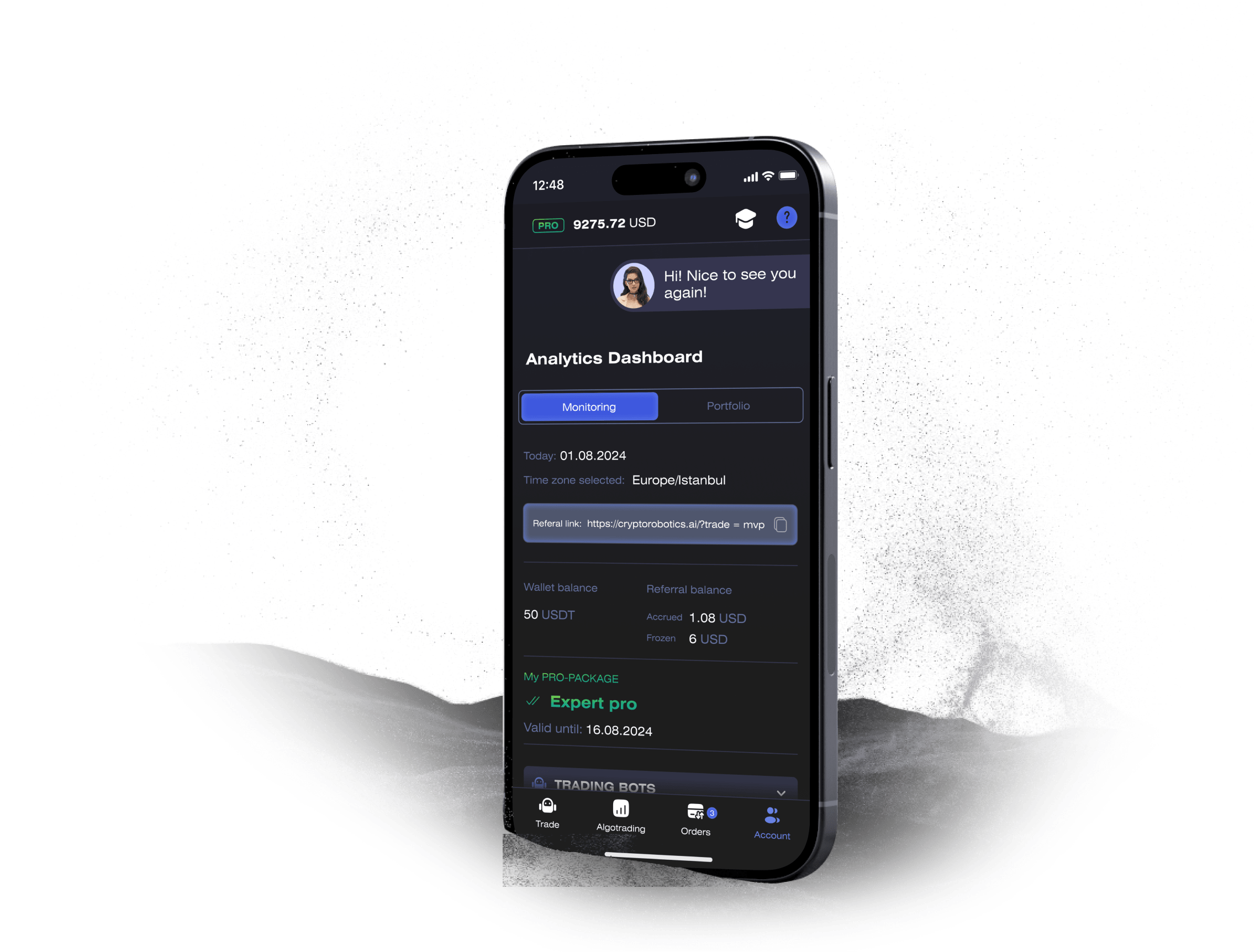
Launch Your Crypto Trading Journey with the CryptoRobotics App

Access the full functionality of CryptoRobotics by downloading the trading app. This app allows you to manage and adjust your best directly from your smartphone or tablet.

phone

Need Assistance on the Platform?

Schedule a personal onboarding session with our manager. He will assist you in setting up the bots, understanding the products, and answer all your questions.